
How to open blocked channels
If Telegram shows a restriction on the main channel, follow these steps. The screenshots below show exactly where to go.
1
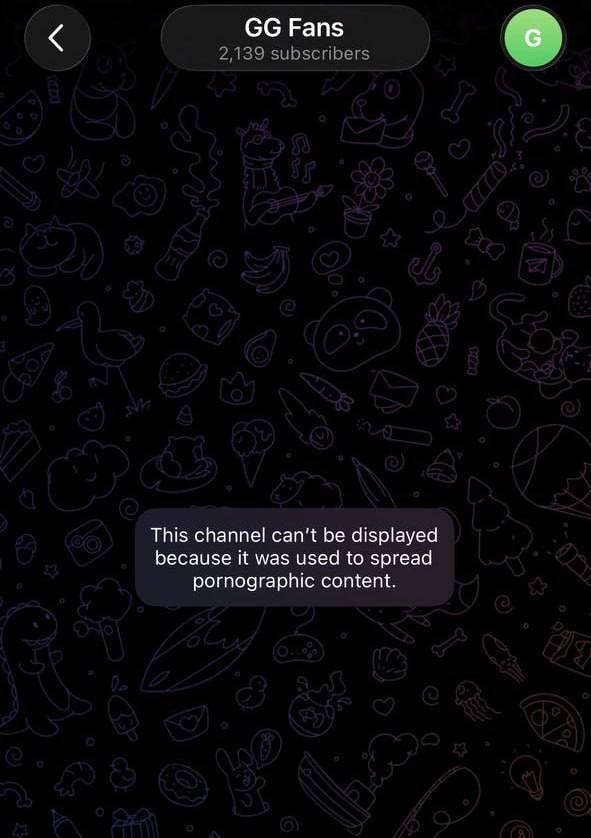
Check the message
If you see “This channel can’t be displayed because it was used to spread pornographic content,” continue with the next steps.
2
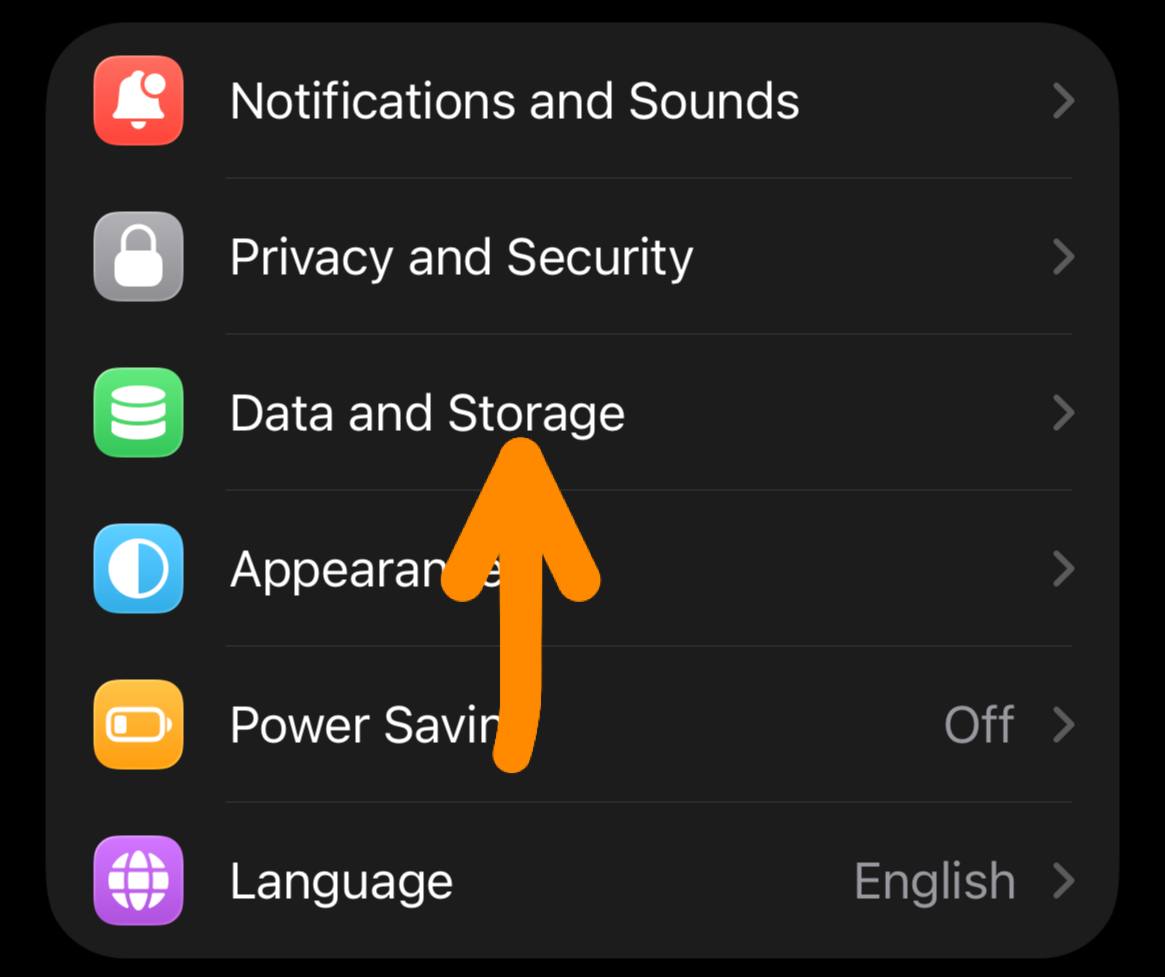
Open Data and Storage
Open Telegram, go to Settings, then tap Data and Storage.
3
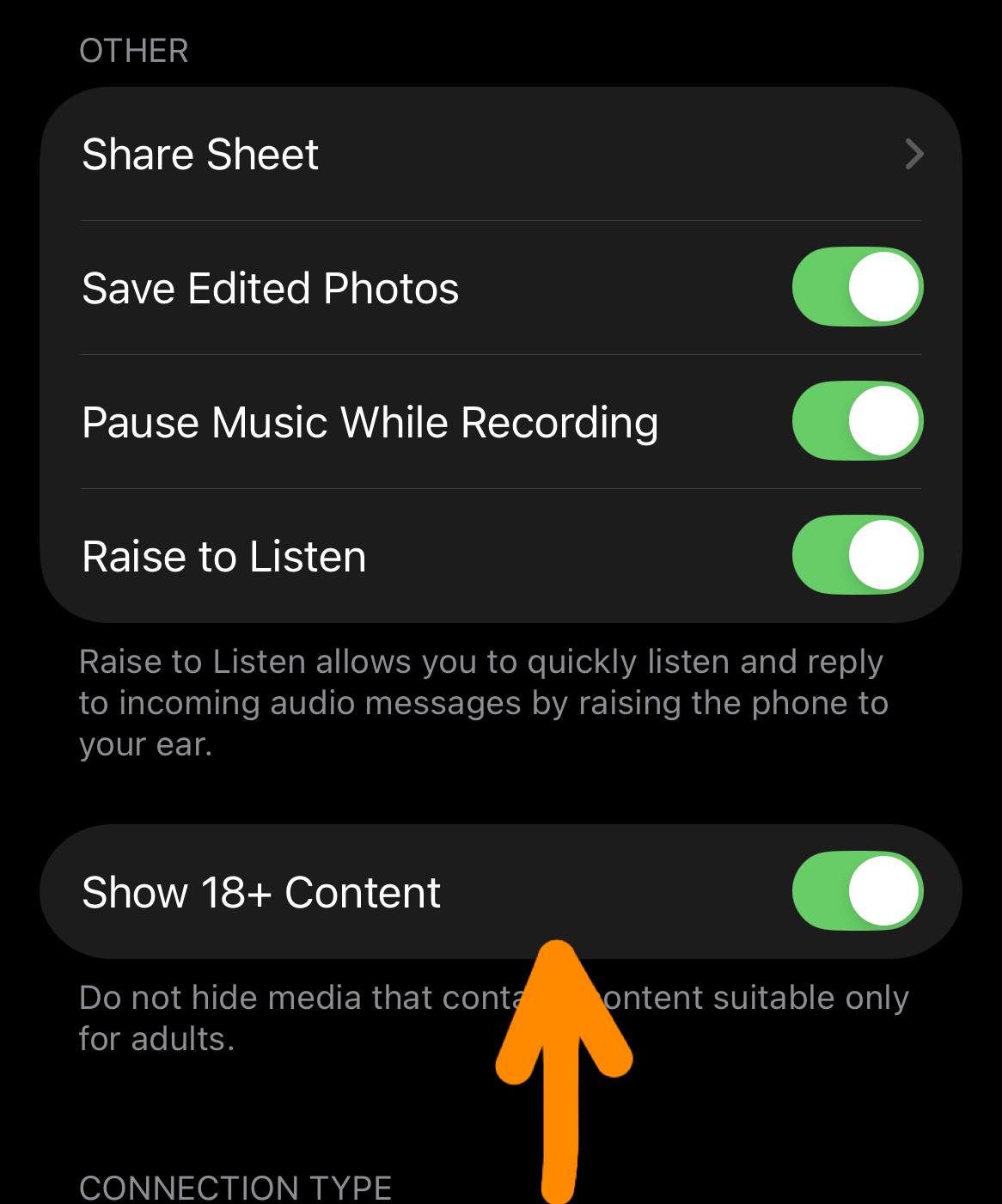
Enable 18+ content
Scroll down and enable Show 18+ Content. Then return to the channel and try opening it again.
If the switch is missing
On some devices the option is not shown inside the mobile app. Open web.telegram.org on your phone or PC, sign in, then go to Settings → Privacy and Security → Sensitive Content and disable filtering.
Still can’t open the channel?
Try one of the backup channels below. If both mirrors are also unavailable, contact the technical admin.